
Debug overlays, logging, and utility functions
🔧 Utility
🐛 Debug
📊 Overlays
🆓 Free
User Tools is your Swiss Army knife for debugging and game inspection. Toggle overlays to visualize game data like NPCs, objects, items, widgets, and more. Check your proxy status, access logs instantly, open the built-in console without needing CLI, and keep your account logged in with the Never Log feature. Whether you're troubleshooting a plugin issue or just curious about game internals, User Tools has you covered.
At the top of the panel, User Tools displays your current Proxy Loaded status. Quickly verify if your proxy is active and which one is being used — essential for users running multiple accounts or needing IP protection.
Toggle visual overlays to inspect game entities and data in real-time.
🎒 Bank
View bank item data
📦 Inventory
Inspect inventory items
⚔️ Equipment
View equipped gear data
👤 NPC
NPC names, IDs, and positions
🎯 Projectiles
Track projectile data
🖼️ Graphics
Graphics object info
🪟 Widgets
Interface widget IDs
🪨 Game Objects
Rocks, trees, etc.
🧱 Wall Objects
Doors, walls, gates
🏺 Decorative Objects
Scenery and decoration
📍 Ground Objects
Floor-level objects
⚡ Dynamic Objects
Moving/changing objects
✨ Tile Items
Ground item spawns
👥 Players
Nearby player info
Advanced debugging tools for troubleshooting and development.
💬 Chat Message
Log and inspect chat messages including game messages, public chat, and system notifications.
🗺️ Tile Debug
View tile coordinates, flags, and collision data for pathfinding analysis.
🎮 Gamestate Logger
Track game state changes and transitions for debugging timing issues.
🧑 Player Debug
Detailed information about your character — animations, positions, states.
🧠 Memory Diagnostic
Monitor memory usage and diagnose performance issues.
🗺️ Map Regions
Display current map region IDs and chunk boundaries.
🖱️ Mouse Debug
Track mouse position, clicks, and input events.
Handy shortcuts and quality-of-life tools.
🔒 Never Log
Prevents the 5-minute logout timer from kicking you. Stay logged in indefinitely while AFK or monitoring.
📂 Open Logs
Instantly opens your log folder — no more digging through directories. Perfect for grabbing logs to share with support.
💻 Open Console
Opens the built-in console for users without CLI enabled. Run commands and view output directly in-client.
Finding Object/NPC IDs
Toggle the relevant overlay (NPC, Game Objects, etc.) to see IDs for use in other plugins or custom configs.
Widget Mapping
Use the Widgets overlay to find widget IDs for helping devs update broken plugins.
Troubleshooting Plugins
When something isn't working, check overlays to verify the plugin is seeing the correct targets.
Sharing Logs for Support
Use Open Logs to quickly grab log files when reporting issues in Discord.
• Performance: Only enable overlays you need — having many active at once can impact FPS
• Never Log: Great for monitoring bots, but remember the 6-hour forced logout still applies
• Proxy Check: Always verify your proxy status before starting sensitive activities
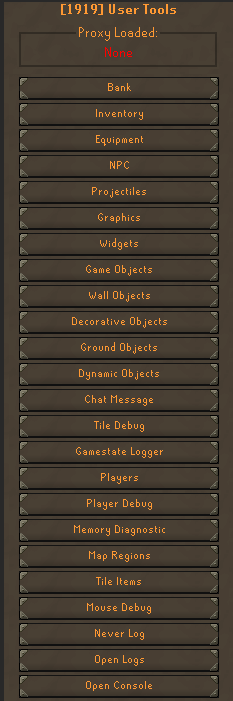
Plugin Panel
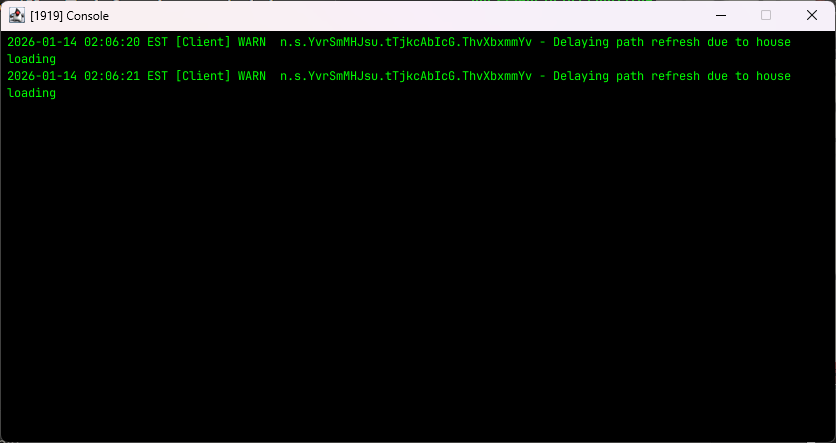
Built-in Console
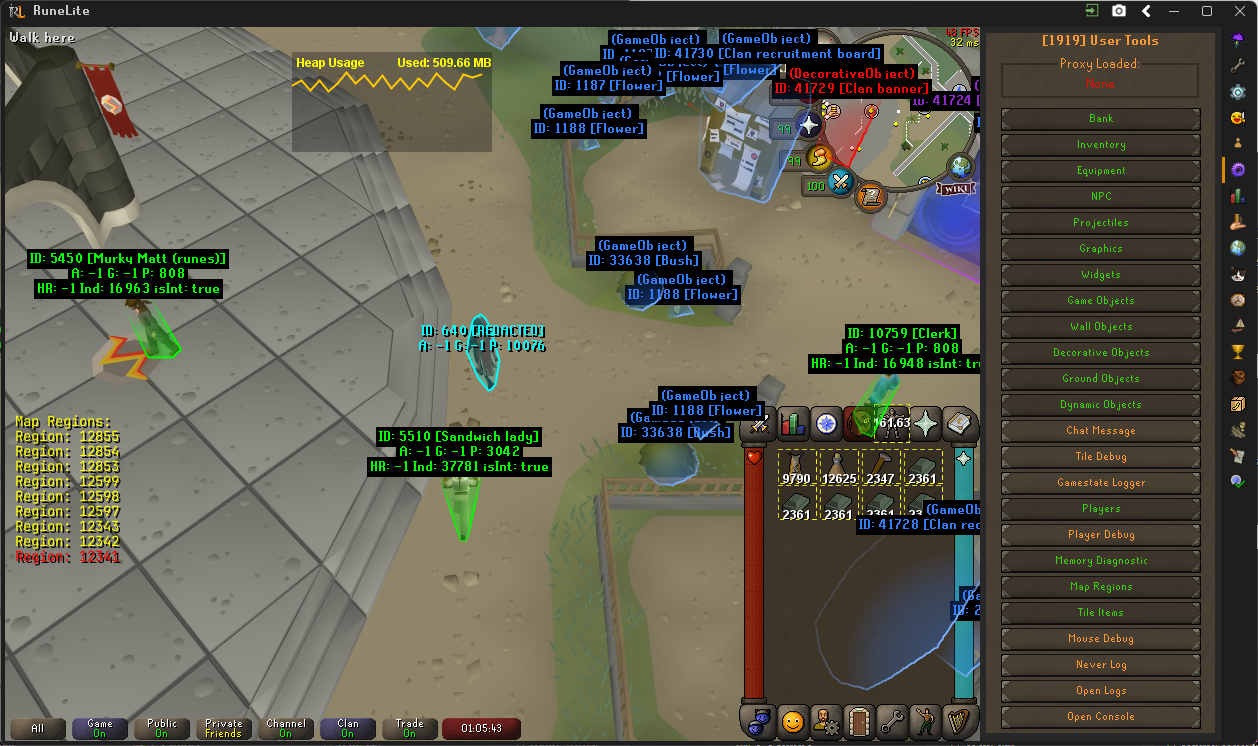
Debug Overlays