
¶ Task Section
Configure individual task settings and locations
¶ 📋 Task Selection
Browse and select from 107 supported tasks. Use the search bar to quickly find specific tasks.
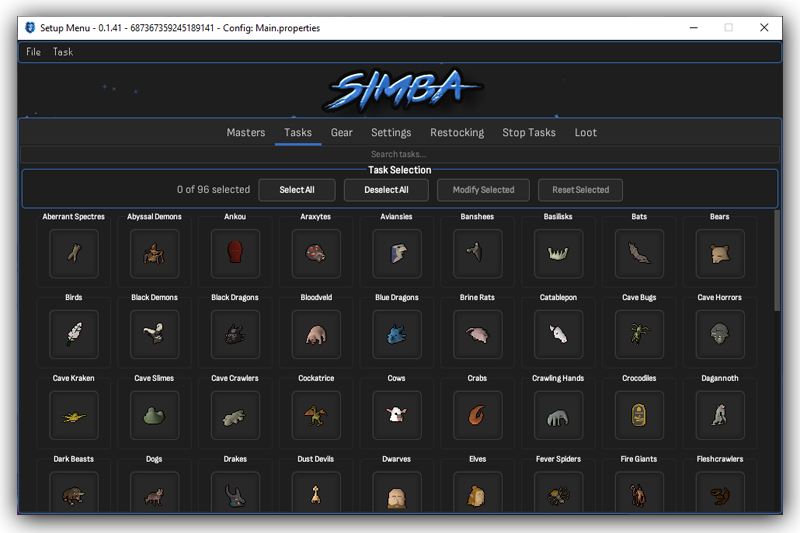
Click task icon to open settings • Click outside icon to add to selection • Search bar at top to filter tasks
¶ ⚡ Mass Modification
Select multiple tasks at once to make mass modifications.
Easily apply settings to multiple tasks. Integrated smartly to only apply allowed modifications to selected tasks and skip over the rest.
Use Select All, Deselect All, Modify Selected, and Reset Selected buttons for bulk operations.
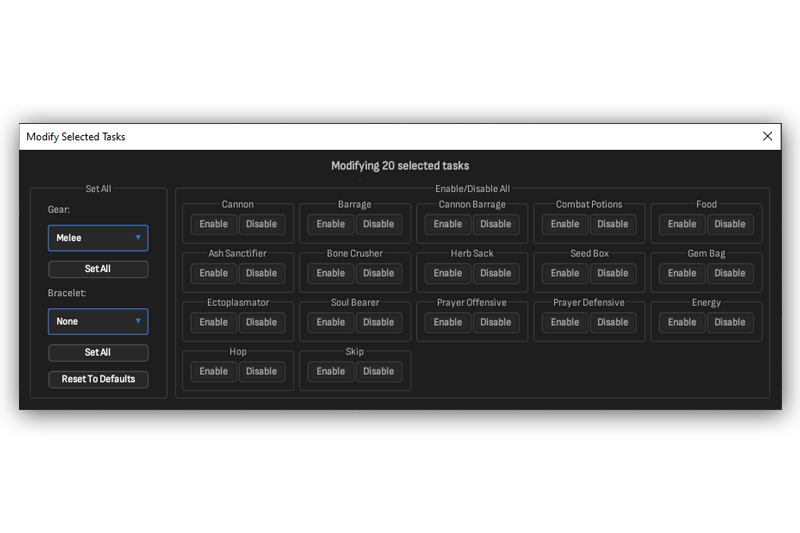
Modify Selected Tasks Dialog
¶ ⚙️ Individual Task Configuration
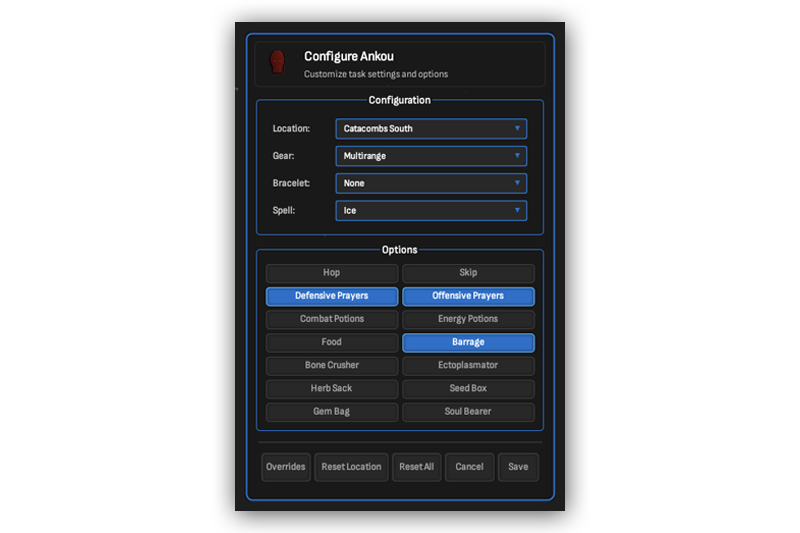
Task Configuration Menu
¶ Configuration Options
- Location - Select task location
- Gear - Apply custom gear set
- Bracelet - Expeditious/Slaughter/None
- Spell - Barrage spell selection
¶ Toggle Options
Hop • Skip • Defensive Prayers • Offensive Prayers • Combat Potions • Energy Potions • Food • Barrage • Bone Crusher • Ectoplasmator • Herb Sack • Seed Box • Gem Bag • Soul Bearer
¶ 📍 Location Settings
- Configure a variety of settings per location in any slayer task
- The last saved location will be the favored location for non-Konar tasks
- Apply your custom gear sets for specific niche spots to maximize slayer gains
- Toggling Hop will force the plugin to hop when people are in the area (separate from anti-crash)
- Toggling Skip will skip for that specific location
- Reset buttons at bottom to return to default settings
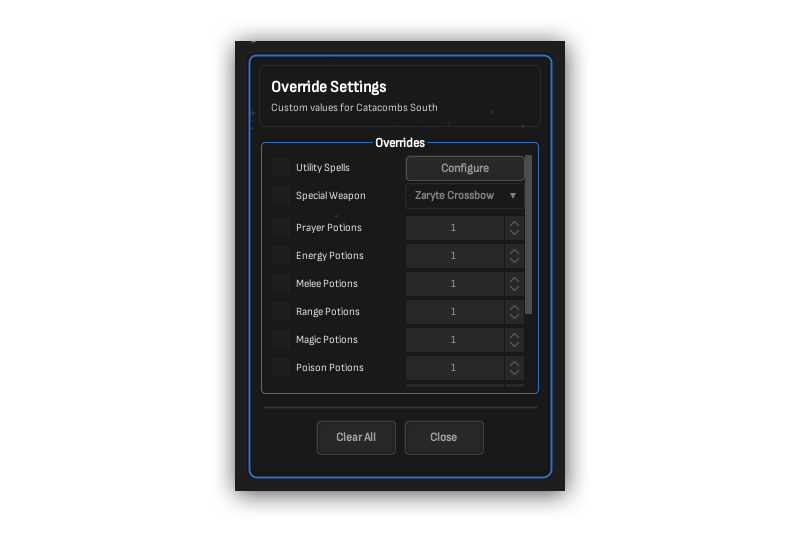
Override Settings
¶ 🔧 Override Settings
For more flexible control you can override food/potion types, potion amounts, toggle settings, special weapons, and utility spells for specific locations.
Utility Spells
Configure per location
Special Weapon
Override default spec
Potion Amounts
Prayer, Energy, Combat
Food/Potion Types
Override defaults
Toggle Settings
Per-location toggles
¶ 💡 Tips
- If you aren't running Konar, the plugin will always use your last saved location
- Use mass modification to quickly set up multiple tasks with similar settings
- Override settings let you fine-tune potion quantities for specific locations