
¶ Masters Section
Configure your slayer master and boosting modes
¶ 👤 Select Slayer Master
Click on a master to select them as your primary slayer master. Right-click masters to modify their block lists.
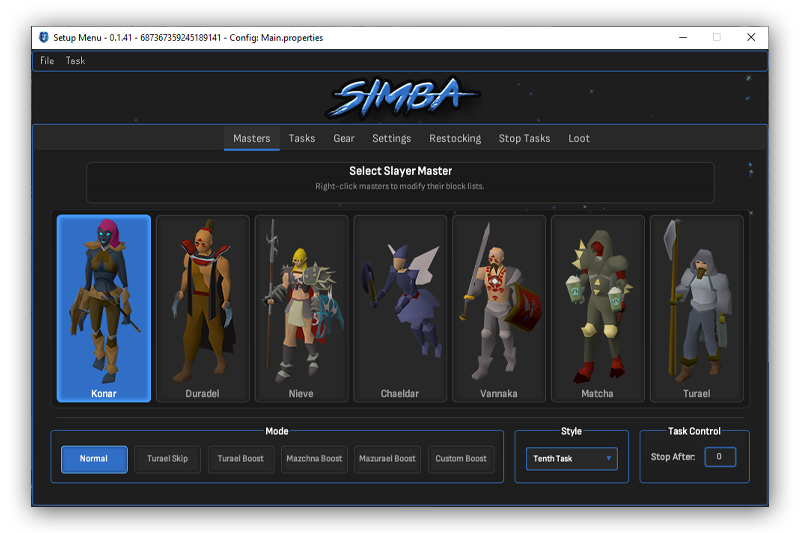
Blue outline = Regular master • Red outline = Boost master • Click to select • Right-click to swap • Middle-click to edit block list
¶ 🚀 Mode
¶ 🚫 Block List
Configure block slots per master by right-clicking any master button.
You can block up to 7 tasks from being assigned by each master.
Each master has their own separate block list. Make sure your in-game block list matches your configuration here.
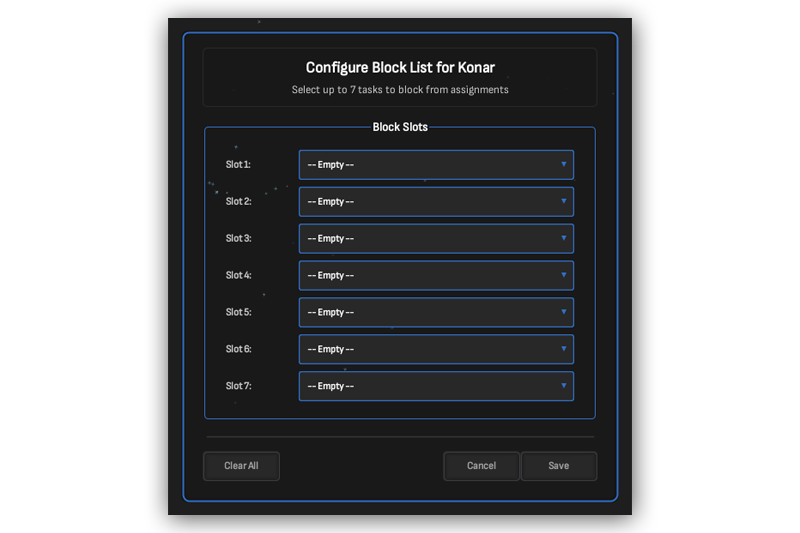
Block List Configuration
¶ ⚠️ Important Notes
- Turael Skipping will break your task streak. Make sure you configure desired tasks in the Stop section first.
- Boosting modes switch to your main master at the configured milestone (10th or 50th task).
- For Custom Boost, select your regular master first (blue), then your boost master (red).