¶ Gear Section
Configure gear sets, barrage spells, and utility spells
¶ ⚔️ Gear Configuration
Configure your gear sets, barrage/burst spells, utility spells, and barrage task tagging weapons/ammo.
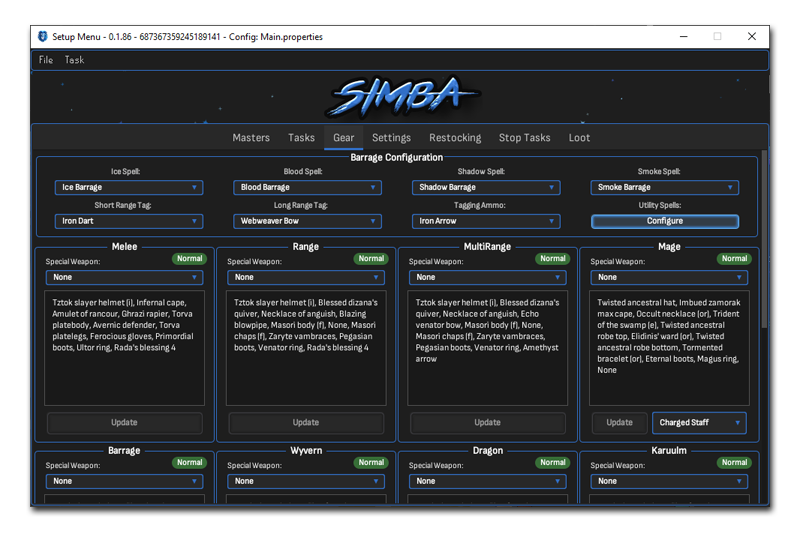
¶ 🧊 Barrage Configuration
Choose your barrage/burst spells and tagging weapons/ammo for barrage tasks.
Ice Spell
Ice Barrage / Ice Burst
Blood Spell
Blood Barrage / Blood Burst
Shadow Spell
Shadow Barrage / Shadow Burst
Smoke Spell
Smoke Barrage / Smoke Burst
Short Range Tag
Iron Dart, etc.
Long Range Tag
Webweaver Bow, etc.
Tagging Ammo
Iron Arrow, etc.
¶ 🛡️ Default Gear Sets
To configure a gear set, simply equip all the items you would like to wear in game and press the corresponding Update button for that set!
⚠️ Dual Gear Saves: Click the Normal button to switch to Wilderness mode. Each gear set has 2 save slots - one for normal slayer and one for dangerous wilderness slayer!
These gear sets are created by default and should be filled to complete all tasks.
Melee
Melee combat gear
Range
Ranged combat gear
MultiRange
Multi-target ranged
Mage
Magic combat gear
Barrage
Barrage task gear
Wyvern
Wyvern task gear
Horror
Cave horror gear
Dragon
Dragon task gear
Karuulm
Karuulm dungeon gear
Godwars
GWD protection gear
Leaf
Leaf-bladed gear
Each gear set also has a Special Weapon dropdown to configure spec weapons per set.
¶ ✨ Custom Gear Sets
Create, rename, and customize as many custom gear sets as you would like! Click New Custom Set to add a new gear set with your own name.
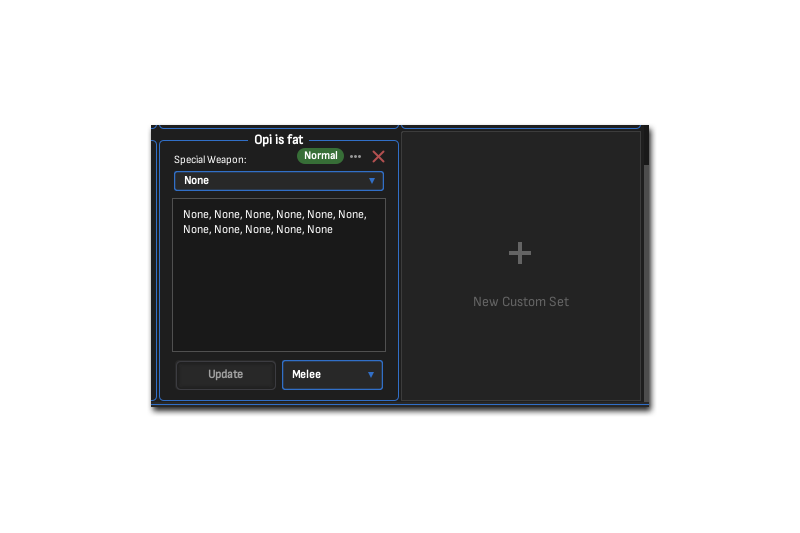
New Custom Set Dialog
- Create unlimited custom gear sets
- Name them whatever you want
- Assign to specific tasks via Task Section
- Each custom set has Normal/Wilderness saves
- Configure special weapons per custom set
- Click ... button to rename a set
- Click X button to delete a set
¶ ✨ Utility Spells
Select which utility spells you would like to bring on tasks.
You can only choose multiples from one spellbook for obvious reasons.
Utility spells will only be brought if no other spells are required for the task.
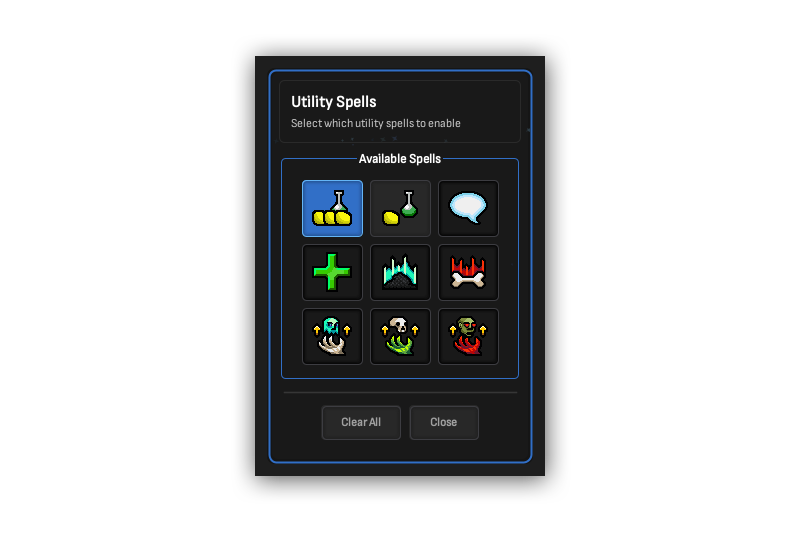
Utility Spells Selection
¶ 💡 Tips
- Equip your desired gear in-game before clicking Update to save that gear set
- Use the Normal/Wilderness toggle to set up separate gear for dangerous wildy tasks
- Create task-specific gear sets for niche spots like Wyverns, Dragons, and Karuulm
- Configure special weapons per gear set for automatic spec weapon switching
- Utility spells are only used when no combat spells are needed for the task